Prerequisites
- All high-level prerequisites as listed in the Getting Started section.
- Access to an Amazon Connect Instance.
Add the Glance Application
To incorporate the Glance application in Amazon Connect:
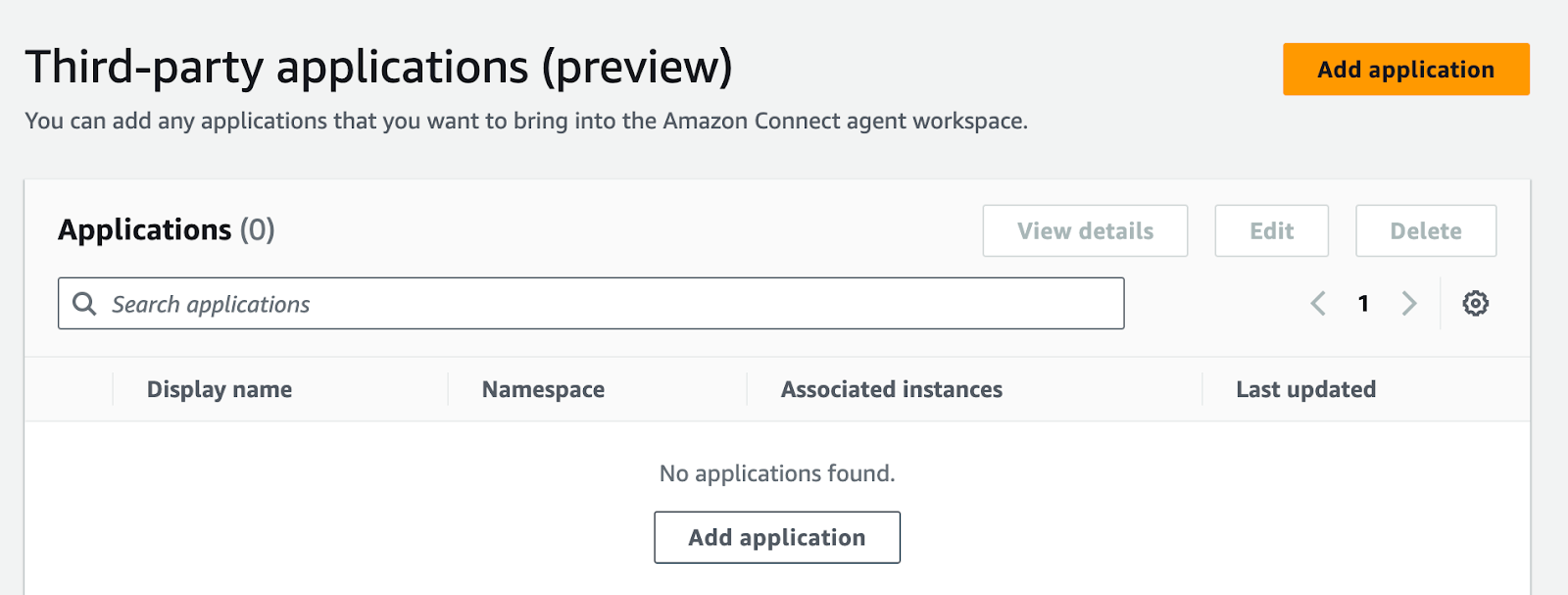
- Navigate to the Third-Party Applications section in Amazon Connect, and click Add Application.
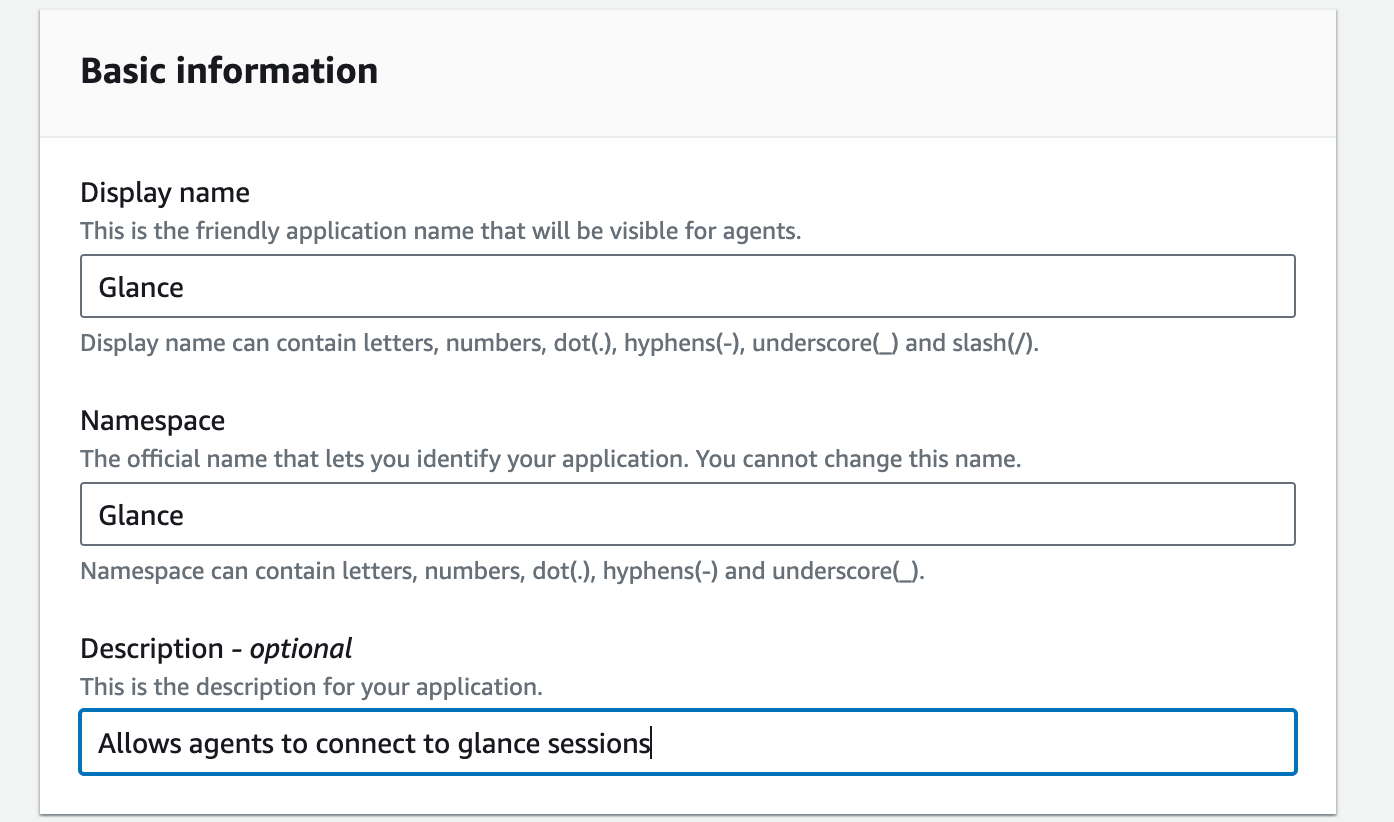
- Under Basic Information, input the following:
- For Display name, enter "Glance".
- For Namespace, enter "Glance".
- Enter an optional description for the Glance application.
- Under the Access section, enter the following:
- For Access URL, enter the URL provided by Glance.
- For Approved Origins, enter
https://www.glance.net, and the URL for your IDP environment, e.g.https://<your okta login>.okta.com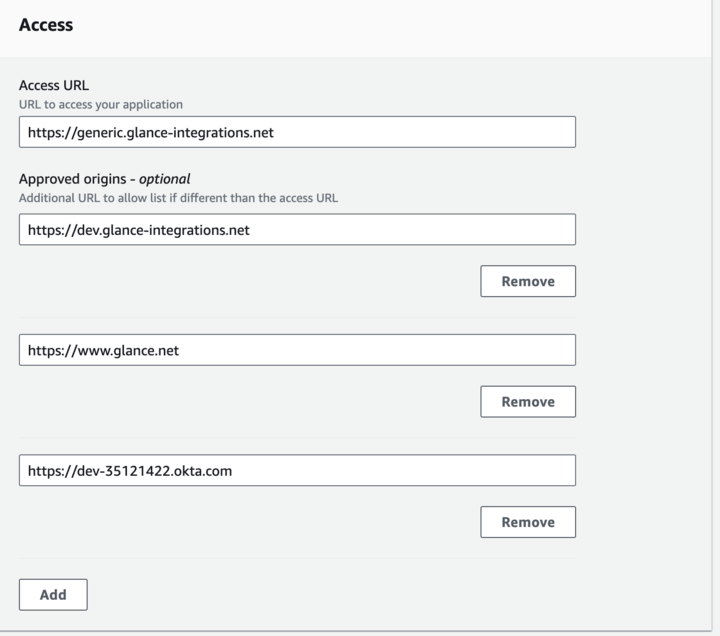
Joining Sessions from Amazon Connect
- Navigate to the Agent Workspace application.
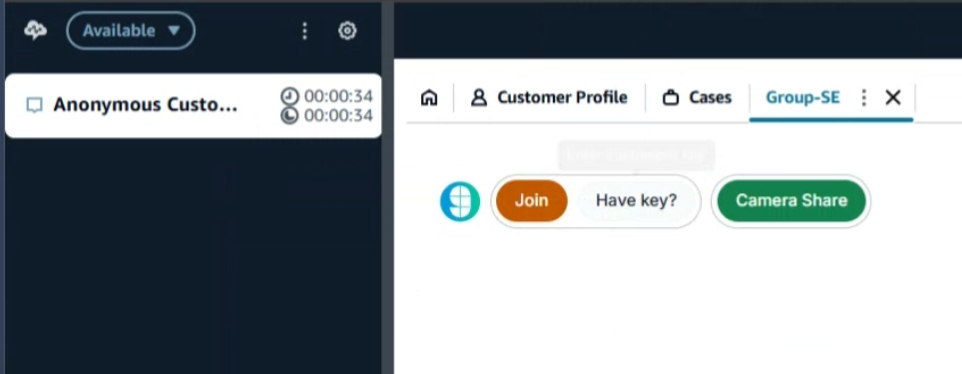
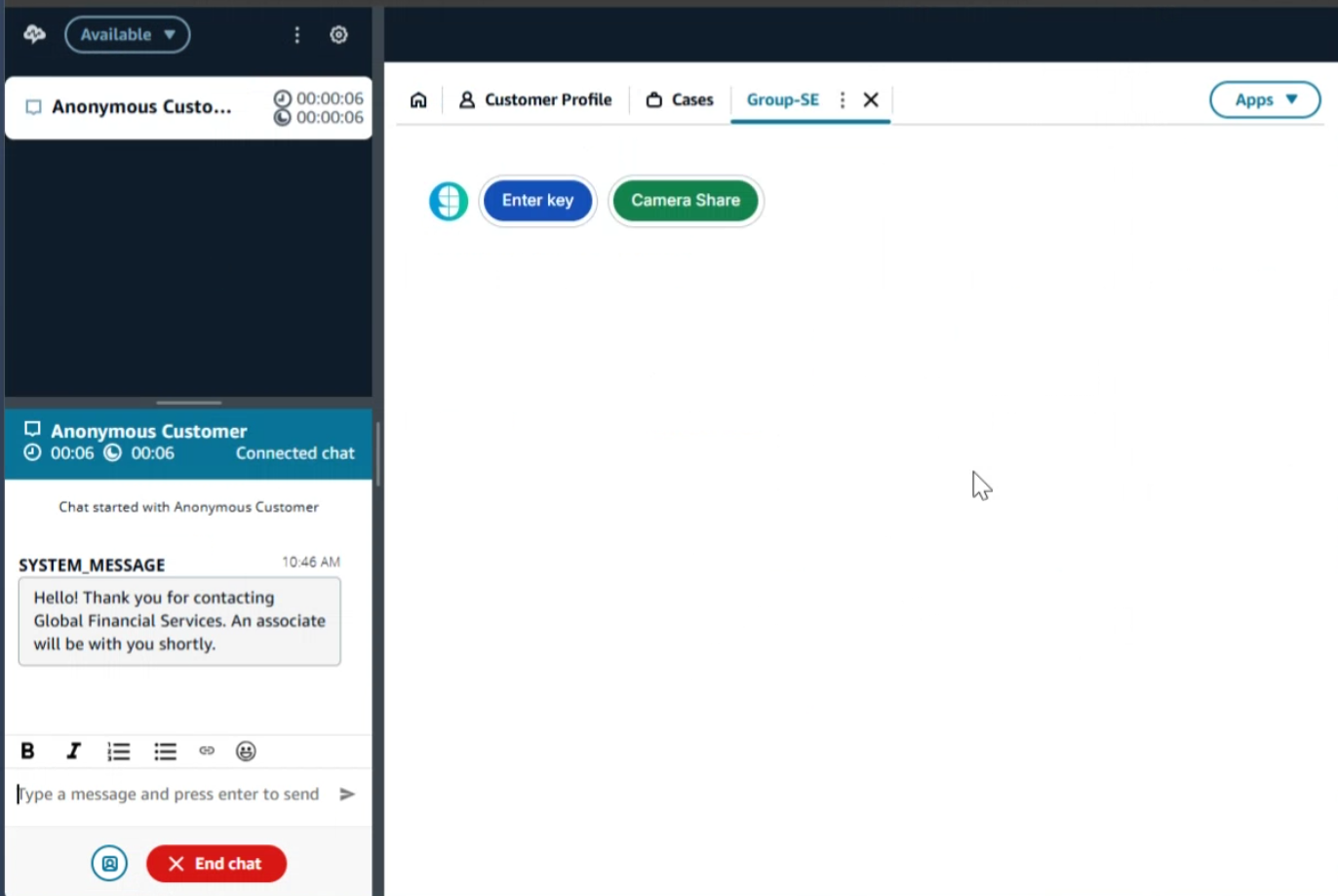
- From the Agent Workspace, click the Apps menu and select the Glance application.
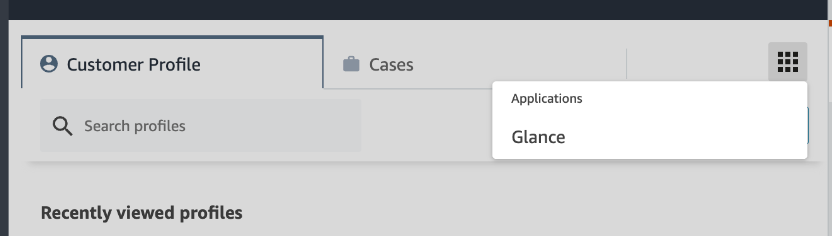
- You will be prompted to sign in to your Identity Provider. Log in with your credentials.
- The Glance application is now available and you can join Glance Sessions.